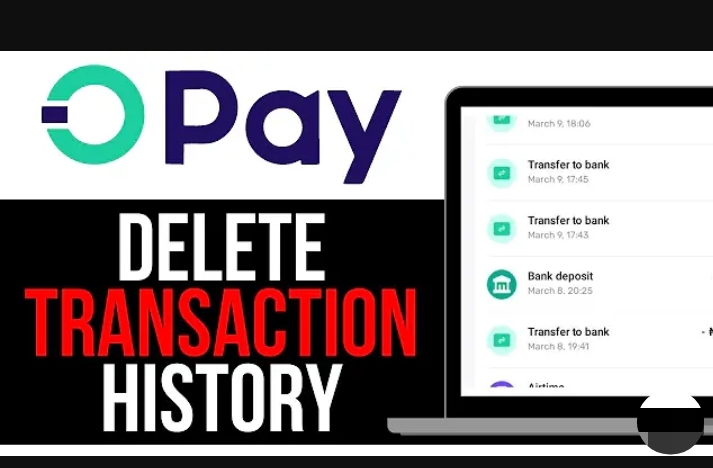

Many people have asked us this question recently: “Can I hide or delete my transaction history on OPay?”
One might ask – why do you even want to hide or delete your transaction history?
Well, there are many reasons why someone might want to delete or hide a transaction history.
Maybe you don’t want someone scrolling through your phone to see your transfers and who you transferred to.
Maybe you’re just trying to clean up your account and clean up some traces. Or maybe you’re just curious to know if it’s even possible.
We’ll answer everything clearly and even suggest the simple secret ways you can manage your account transaction histories if you don’t want another person to see it.
See Also: List of OPay USSD Code in Nigeria (2026)
Can You Delete Transaction History on OPay?

As of 2026, OPay app does not have a feature that allows users to delete, hide or permanently remove transaction history from their account.
Every transfer, airtime purchase, bill payment, or wallet funding is recorded and stored in your account history.
Nevertheless, there are some other tricks and secrets that you can use to hide or manage your transaction history on OPay app and we’ll discuss them as we proceed.
See Also: 2 Methods Used to Borrow Money from OPay in 2026
Why OPay Does Not Allow Deleting Transactions
There are important reasons for keeping transaction histories in Opay and many other bank apps.
This is not a mistake. It is intentional feature that is carried out to ensure compliance with money regulatory policies.
Some of the most important reasons why OPay does not allow deleting transaction history are:
1. Financial Regulations
OPay operates under Nigerian financial regulations, specifically under the Central Bank of Nigeria (CBN).
Based on financial regulations, all financial institutions are required to keep transaction records for the purpose of transparency and audit.
So allowing users to delete transactions would violate the CBN financial compliance rules and may lead to legal actions with the concerned bank.
2. Fraud Prevention
Transaction history are important when it comes to:
- Investigating transaction disputes
- Tracking suspicious financial activities
- Protecting your account
- Resolving failed transactions
Again, if users are allowed delete transaction records, it would create security risks for the bank and the users themselves.
3. Account Transparency
Your transaction history acts like a financial record and evidence. It helps in identifying:
- Who you sent money to
- Who sent money to you
- When payments were made
- How much was involved
These are important details for protecting both you and OPay, and settling of financial disputes.
Can You Hide Transaction History on OPay?
If a user cannot delete a transaction history, at least, hiding it should be the next option. But unfortunately, this feature is not available on so many banking apps in Nigeria.
Some banks allow their users to lock their transaction histories by simply toggling it on and off, but there’s no feature for hiding a transaction history permanently.
When it comes to Opay, there’s no specific built-in feature that allows users to hide or lock transactions history in the OPay app.
Hence, users cannot:
- Hide a single transfer
- Hide a specific payment
- Lock part of your history
- Clear your transaction list
How to Protect Your Transaction history in OPay App
Even though you can’t delete or hide transactions history in OPay app, you can protect your privacy in other ways.
1. Secure Your OPay App
The best way to “hide” your transaction history is to prevent others from accessing your account.
Make sure you:
- Use a strong password
- Personalize your password
- Do not share your OTP with anyone
- Use extra security means like PIN, fingerprint, or face lock to protect your account
- Avoid giving people your phone while it is unlocked
The truth is – if someone cannot access your app, they cannot see your history.
2. Log Out on Shared Devices
If you ever logged into OPay on another phone, ensure you:
- Log out immediately
- Change your password if you suspect it has been compromised.
3. Clear Notifications and Alerts
Opay do send transaction alerts to notify users of the recent transactions on their account via SMS or email. To manage your SMS or email transaction history, you can:
- Clear SMS alerts from your phone inbox
- Delete email notifications
4. Use App Lock
Another safe way to manage your Opay transaction history is to specifically lock your Opay app. You can:
- Go to phone settings
- Enable App Lock
- Lock OPay with fingerprint or PIN
Enabling this will add an extra privacy layer to your Opay app.
What If You Close Your OPay Account?
Some people think deleting their Opa account will erase their transaction history, but that’s not true. Here is what happens to your transaction history when you delete your account:
- If you permanently close your OPay account, it becomes inactive.
- However, transaction records are still stored in OPay’s system for regulatory reasons.
- You may not be able to access them anymore, but they are not deleted from financial records.
So closing your account does not automatically clear your transaction history.
Can Customer Support Delete My History for me?
OPay customer service cannot delete your transaction history even on request.
They can only:
- Help resolve transaction disputes
- Reverse failed transactions
- Explain unclear transactions
How to Delete OPay Transaction History via SMS
If you want to clear your Opay SMS transaction history, this is how to do it:
On Android:
- Open your Messages app
- Check SMS from OPay
- Press and hold the message
- Tap Delete to clear them
This will automatically remove your Opay SMS transaction history from your phone.
How to Download Your OPay Transaction History
Instead of deleting your Opay transaction history, it is better to download it for record keeping.
To do that:
- Open OPay app
- Go to Transaction History
- Select the date range
- Export or download statement
This may be useful to you in the future for:
- Business records
- Loan applications
- Proof of payments
Using Third-Party Apps to Clear Opay Transaction History
There are some websites and apps that claim they can:
- Clear OPay history
- Edit transaction records
- Hide transaction logs
But these are all scams and fake.
There is no single external website or app that can modify OPay’s financial records or clear transaction history.
Using such apps or websites can cause them to:
- Steal your login details
- Hack your wallet
- Drain your funds
Frequently Asked Questions
Does Clearing Opay App Data Remove History?
No. Clearing Opay app cache or app data only removes temporary app files, but your transaction history remain intact.
Can I Edit a Transaction Description?
No. Transaction records are permanent and cannot be modified.
Conclusion
The simple truth is – you cannot hide or delete transaction history on OPay app.
OPay transaction histories are stored permanently for:
- Legal compliance
- Security
- Fraud prevention
- Financial transparency
If you’re concerned about your account privacy, the best solution is to secure your device and account from external access.