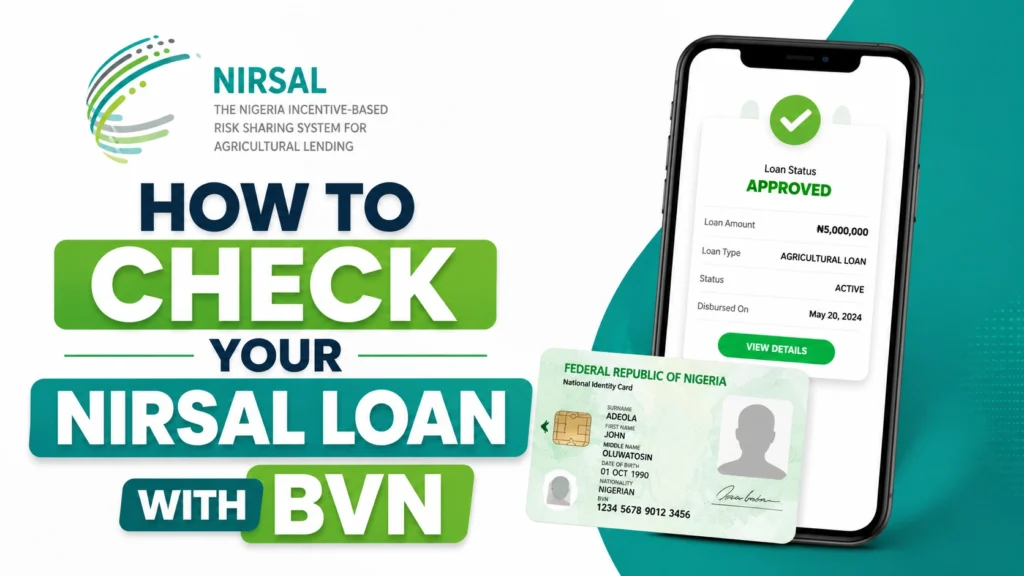

Have you applied for a NIRSAL loan and not received an email? And you want to check your NIRSAL loan status; that’s what this article is all about.
This article will walk you through how to check NIRSAL loan with BVN.
With this, you’ll be able to check your NIRSAL loan status with your BVN online or through their app.
What You Need to Check NIRSAL loan Status
To check your NIRSAL loan status, you will need to have the following things ready:
- Your BVN (11 digits)
- A device with internet connection.
All you need is just your Bank Verification Number (BVN) and an internet-enabled device
If you don’t have your BVN, you can dial *565*0# on the phone number linked to your bank account and your 11 digits BVN will displayed.
How to Check NIRSAL Loan Status With your BVN
Method 1: Check on NIRSAL Loan Status Checker Portal
This is the most direct and reliable method but you have to be careful of fake and impersonating websites. To check yours, follow these steps:
1. Go to the official NIRSAL website
- Open your browser and visit https://covid19.nmfb.com.ng/
2. Select Your Loan Category:
- Select whether you applied as a “SME” or “Household”
3. Enter your BVN to validate
- Enter your 11-digit BVN into the form space
- Click on “Validate BVN” to check your NIRSAL loan status.
- The system will search for your application using your BVN as the identifier.
4. Your loan status
- Once your BVN is validated, your application details will appear on the screen.
- From there, you’ll be able to see your application status whether it is pending, under review, approved, or disbursed.
Note: If the portal shows “No Record Found,” don’t panic. It may be because your application is still being processed or hasn’t been uploaded yet.
You may need to give it more time and check back later.
If you applied for the loan through a partner bank or someone helped you submit your application and you are yet to create a profile directly on the NIRSAL portal, you’ll need to do that first.
See Also: How to Check GSI Recovery Status
NIRSAL Loan Status and their Meanings
When you check your status on the portal, you may see different possible responses. Here’s what each one means:
- This BVN Details Does not exist: if you see this, it means you didn’t apply for the loan or your application has not been validated yet.
- Under Review: it means your application has been validated and is being assessed. It is usually the default response for those who applied but are still under review.
- Approved: it means your loan has been approved. At this stage, you need to take the necessary actions to proceed to disbursement.
- Disbursed: it means the loan has been released. So you just need to check your account.
How Long Does NIRSAL Loan Approval Take?
It takes between two to six weeks for NMFB to verify your documents and approve your loan.
However, there are some factors that can delay this process which include:
- Incomplete or inconsistent details
- BVN verification issues
- High application volume
If your application has stayed for too long without any feedback, then you should follow up by contacting them.
How to Contact NIRSAL Directly
If checking online or through the app isn’t resolving your situation, follow any of these channels to reach out to NIRSAL directly:
- Official Website Contact Form: https://nmfb.com.ng/contact-us
- Email Support: info@nmfb.com.ng
- Phone: 0700-NIRSAL-MFB (0700-647725-632)
- WhatsApp Channel: https://whatsapp.com/channel/0029VaLcYX47j6g1Mh97Px2O
- Main Phone Line: 090 1002 6900
- Head Office Address: NIRSAL Microfinance Bank, House 1, Plot 103/104, Monrovia Street, Wuse 2, Abuja.
What to Do While Waiting for NIRSAL Loan Approval
Waiting for a NIRSAL loan approval requires a whole lot of patient. Here’s what to do while waiting:
- Make sure your bank account is active and receiving transactions: This is important in case the disbursement happens, so that the funds can go straight to the account you provided. If the account suddenly goes dormant or has issues, the money may not land.
- Keep your number active: This is necessary for subsequent communication. In rare cases, NIRSAL may contact you through the number in case they need to verify more. Note: if any one calls you and claim to call from NIRSAL and suddenly start asking you for sensitive details related to your account, block and delete such number, it’s likely fraud.
- Check your email Always: NIRSAL may send a follow up email to you in cases where they need to reach out to rectify your information. Again, if you receive an email that claim to come from NIRSAL and the email is asking you for sensitive details related to your account, block and delete such email, it’s likely fraud.
- Don’t pay anyone to help you “speed up” your approval: There’s no such service. Anyone who collects money promising to fast-track your NIRSAL loan is scamming you. NIRSAL’s verification and assessment process is internal and no third party has influence over it.
Frequently Asked Questions
Can I check my NIRSAL loan status without a BVN?
No. Your BVN is the primary thing needed for the NIRSAL system to be able to fetch your details.
Without your BVN, there is no way else the system will be able to fetch your application status.
My status says approved but I haven’t Received the Money. What do I do?
Approval and disbursement are two different things. After approval, you will need to wait for disbursement.
My NIRSAL application was rejected. Can I reapply?
Yes, but first understand why it was rejected and fix it before reapplying.
Is it safe to enter my BVN on the NIRSAL portal?
Yes. If you are on the official NIRSAL portal then it is safe to enter your BVN.
Note: Never enter your BVN on any other website claiming to be NIRSAL. Always confirm the URL before proceeding.
See Also: Best Business Loan Apps in Nigeria 2026
Conclusion
Checking NIRSAL loan status is very simple. Just go to https://covid19.nmfb.com.ng/, select whether you applied as a “SME” or “Household”, enter your 11-digit BVN and click on “Validate BVN” and your application status will be displayed instantly.
Just ensure you use the right BVN, if you use a wrong BVN, all you will see is a warning message that says “This BVN Details Does not exist”.
If you are sure you did everything rightly, then be patient, follow up gradually, and don’t pay anyone for faster approval.