
How to Contact Opay Customer Care (2026)
If you are having issues with your OPay account and you wonder how to reach their customer care team, then pay attention to this information.
OPay has different channels you can use to contact their customer care representative and get instant help depending on the type of issue you are dealing with.
There are some issues that you can easily resolve through self-service, and there are other issues that may require you to speak with an agent directly.
This article will show you all the available channels that you can use to access OPay customer care services.
Facts About OPay Customer Care
-
OPay customer care is available 24 hours a day, 7 days a week.
-
You can reach their customer service at any time, any day.
-
Customer services are also available during weekends and public holidays.
-
OPay customer service will never ask you for your PIN, password or OTP.
-
Any agent that asks you for the abovementioned details is a scammer. Do not give them anything.
-
You can use the USSD code for urgent issues like blocking unauthorised transactions or locking your account if your phone is stolen.
-
Only use official OPay channels to avoid being scammed
How to Contact OPay Customer Care in 2026

1. Customer Care Hotlines
OPay has different customer care hotlines. You can call this number directly from any phone to speak live with an OPay agent. The line is available 247.
The phone number option is best if you have an urgent issue that needs to be resolved immediately.
Below are OPay Official customer care hotlines (phone numbers):
-
For Account, App & Card Queries: 0700 888 8328 or 020 1888 8328
-
For POS & Business Queries: 0700 888 8329 or 020 1888 8329
How to contact OPay via phone:
-
Just dial any of the above-listed numbers from any phone
-
Listen to the automated options and select the one that matches your issue.
-
Wait to be connected with an agent
-
Explain your issue clearly to them.
-
You may have to provide information like your registered phone number or name but not sensitive details like PINs or passwords.
-
Then follow the agent’s instructions to resolve the issue.
Drawbacks
-
OPay customer care lines are toll-free, meaning calling their official hotlines will charge your normal network airtime rates.
-
You may have to wait in the queue until you are connected with an agent (could result in higher call charges).
2. In-App Live Chat
OPay has a live chat feature inside the app. It is the fastest way to get help for most account issues without having to make a call.
I prefer the chat feature to calls because here, you have enough time to get your issue resolved accordingly, and you can attach documents or screenshots as evidence.
How to contact OPay customer care through in-app live chat:
-
Open your OPay app and log in.
-
Tap on Me
-
Scroll down and tap on Customer Care Centre
-
Tap on Live Chat
-
Describe your issue in the chat box
-
Wait for an agent to connect
-
An agent will respond and guide you through the resolution.
Drawbacks
-
You may have to wait a little longer in the queue until you are connected with an agent.
3. Customer Care Email
If your issue is not urgent or you need to attach documents or screenshots as evidence, email is also a good option.
The official OPay customer care email is help@opay-inc.com.
How to contact OPay via email:
-
Open your email app
-
Compose a new
-
In the subject line, write a short description of your issue. For example: “Failed Transaction – [your phone number]” or “Unauthorised Debit on My Account”.
-
In the body of the email, explain your issue in detail.
-
Include your registered name, OPay phone number, and every other applicable piece of information.
-
Do not include sensitive details like your PINs, passwords or card details.
-
Attach any screenshot or document that supports your complaint.
-
Send the email to ng-support@opay-inc.com
-
Wait for a response
OPay typically responds to emails within 24 to 48 hours. If you do not get a response after that time, send a follow-up email.
4. OPay auto-help service
You can get auto help from OPay directly using the app. With their auto help, you can report and resolve the following issues:
-
Transaction Dispute
-
Erroneous Transfer
-
Account Limits
-
Password & PIN
-
Phone No. Change
-
Report Scam
-
SMS Alert Settings and more
How to use this:
-
Open your OPay app and log in.
-
Tap on Me
-
Scroll down and tap on Customer Care Centre
-
Choose what you want (e.g., transaction dispute, erroneous transfer, account limits, password & PIN, phone number Change, report a scam or SMS alert settings, or tap on ‘More’ to see more options.
-
Provide the details they ask for
-
Submit and wait for feedback
-
Tap on “My Feedback” to see their feedback.
5. OPay Self-Service via USSD
For certain issues, especially security-related ones, you do not need to contact any agent. You can resolve them yourself using the OPay USSD code.
Useful OPay USSD codes for self-service:
-
Use *955# to access your OPay account without the app
-
Use *955*131# to immediately lock your OPay account if your phone is stolen or you suspect unauthorised access.
-
Use *955*132# to immediately block your OPay ATM card
-
Use *955*0# — check your OPay account balance
6. WhatsApp Help Number
You can chat with OPay via WhatsApp via the following:
-
Normal WhatsApp: 0700 8888 329 / 0201 8888329
-
WhatsApp Business: +234 916 599 8936
7. Official Social Media Channels
Opay also has official social media accounts where you can reach out for help or get updates on known issues affecting the platform. The official channels are:
-
Twitter/X: @Opay_NG
-
Facebook: @Nigeria. Opay
-
Instagram: @opay.ng
Note: Do not share your account details, transaction PIN, OTP or card details in public comments or private chats.
6. OPay Help Centre (FAQ and Self-Help)
OPay has an FAQ inside their app and on their website where you can find answers to common questions.
How to access Opay Help Centre:
-
Open your OPay app and log in.
-
Tap on Me
-
Scroll down and tap on Customer Care Centre
-
Scroll down to where you see “Help you may need”.
-
You’ll see frequently addressed answers categorised into hot issues, transactions, accounts, Owealth and so on.
-
Browse through the categories
-
Read and follow the steps provided for each specific issue.
What to Do for Specific Issues
1. Failed transaction where money left your account:
Call 0700 888 8328 or 020 1888 8328 or use the in-app live chat to make a report. Provide the date, time and amount of the transaction, the recipient’s details, etc. OPay typically resolves failed transaction complaints within 24 to 72 hours.
2. Unauthorised debit or suspicious activity:
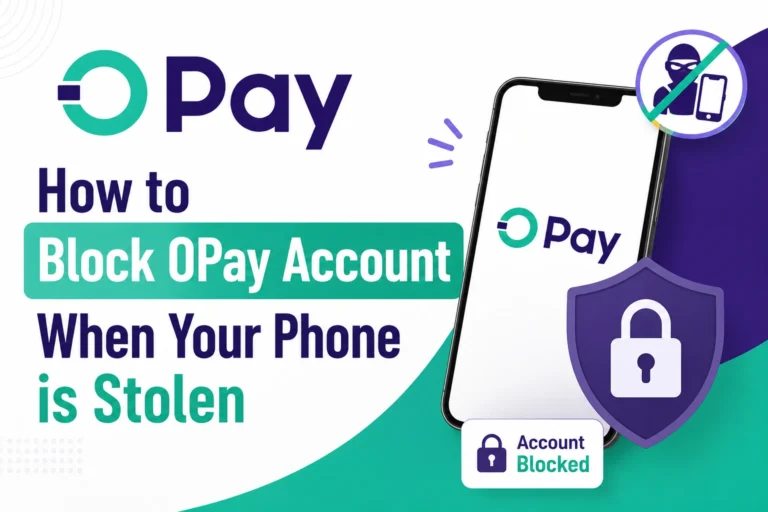
Immediately dial *955*131# to lock your account. Then call 0700 888 8328 or chat with them to report the unauthorised activity.
3. Forgotten PIN or password:
Use the Forgot PIN or Forgot Password option directly on the OPay app.
4. Account blocked or restricted:
Call 0700 888 8328 or 020 1888 8328 or send an email to OPay with your registered phone number and a description of what happened before the account was blocked.
5. OPay card issues (lost, stolen or damaged):
Dial *955*132# immediately to block the card. Then contact OPay customer care through any of the channels above to request a card replacement.
6. Complaint about a merchant or agent:
Use the in-app live chat or email. Include the name of the merchant or agent and the transaction details, and describe your complaint.
See Also:
- How to Log in to OPay with your phone Number and Password
- How to Lock Money on OPay: OWealth, Target Savings, Fixed Savings, SafeBox, and Spend & Save Options Explained
- How to Block OPay Account When Your Phone is Stolen
FAQs About OPay Customer Care
1. What is OPay’s customer care number in Nigeria?
The official OPay customer care number is 0700 888 8328.
2. How long does OPay take to resolve complaints?
It depends on the type of complaint. Complaints are typically resolved within 24 hours.
3. Can I chat with OPay customer care online?
Yes. OPay has a live chat feature inside their app. Go to ‘Profile’, then ‘Help Centre’, then select ‘Live Chat’ to start a conversation with an agent.
4. Is OPay customer care available on weekends?
Yes. OPay customer care is available 24/7, including weekends and public holidays.
Conclusion
If you are having any issue with your OPay account, there are multiple ways to reach their customer care team. For urgent issues, call 0700 888 8328, use the USSD codes or chat with them live.
But remember to only use the official channels and never share your PIN, password, OTP or card details with anyone who claims to be an OPay agent.