How to Lock Money on OPay and Start Saving (2026)
If you have money in your OPay account and want to lock it so that you don’t spend it, or you simply want to lock it to earn interest, please pay attention to this information.
OPay has different ways to lock money in your account, and each feature depends on what you are trying to achieve.
Some people make the mistake of leaving their money idle in their OPay wallet without earning anything from it. Meanwhile, OPay has different savings and locking features that allow users to lock up their money to grow.
In fact, there are flexible savings options where you can still access the money anytime while earning interest, and there are non-flexible options where you lock your money completely until a specific date and earn higher interest.
Important Things to Know About Locking Money on OPay
Before you set up any savings or lock plan on OPay, there are a few important things you should know before proceeding:
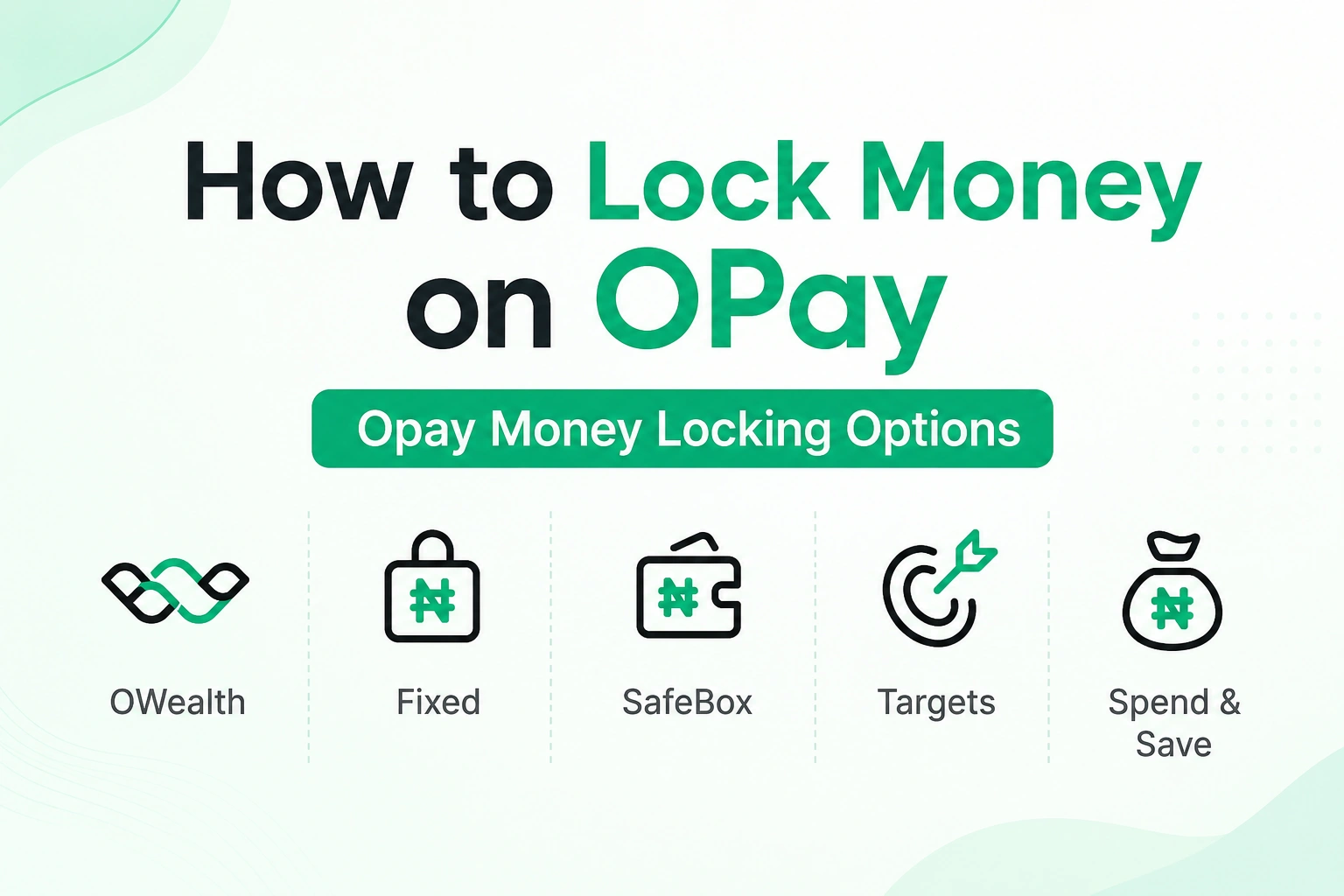
- OPay has five main savings and locking options in their app
- The five different options are OWealth, Targets, Fixed Savings, SafeBox, and Spend and Save
- OPay’s savings feature is powered by OPay Microfinance Bank, which is fully licensed by the CBN and insured by the NDIC. So your money is safe.
- Interest earned on OPay savings is subject to 10% withholding tax by law
- Locking money on OPay is completely free
How to Lock Money on Opay and Start Saving

Below are OPay flexible and non-flexible options where you lock your money and earn higher interest.
1. OWealth

OWealth is the most flexible savings option on OPay. It is best for people who want to earn daily interest on their money but still want to access it anytime without penalty.
With OWealth, your money earns up to 15% per annum, and the interest is paid into your account every single day. Meaning, you can watch your balance grow on a daily basis.
Your OWealth interest is automatically added to your existing balance, meaning you can withdraw your OWealth balance anytime you want without losing your interest.
For a balance of ₦300,000 and below, the interest rate is between 15% and 18% per annum. For balance above ₦300,000, you get 15% to 18% on the first ₦300,000 and 6% on the rest.
How to activate OWealth:
- Open your OPay app and log in
- Tap on ‘OWealth’ in the home screen options
- Activate your OWealth
- Enter the amount you want to move into OWealth
- Tap on Next
- Confirm your action
- You will receive a confirmation that your funds have been moved to your OWealth account
- Your daily interest will start accumulating from that point.
2. Target Savings
OPay Targets Savings is a goal-based savings feature in the OPay app that allows users to save towards specific goals and targets.
How it works briefly
1. Set a Target: The first thing you’ll do is to create or join a savings “target” for the specific goal you want to achieve. You can set your target towards rent, school fees, house items, business capital, or anything else.
2. Lock your money: After creating your target, you then choose how much you want to be saving, how often to save (whether daily, weekly, or monthly), and how long you want to save
The money is then locked until your target due date so you won’t be tempted to withdraw and spend it.
3. Earn Interest: OPay will pay you up to 15% annual interest on your target savings.
4. Auto-Debit: You can turn on auto-debit so that OPay can automatically deduct the set amount from your wallet/bank towards your target savings.
How to activate targets on OPay:
- Open your OPay app and log in.
- Tap on ‘Finance section’ at the bottom of the home screen
- Select Targets
- Browse through existing targets to see if there’s anyone that matches your need.
- If none, tap on “Create Target” to create a new target
- Give your target a name, select a category for your target, enter the target amount, start date, and maturity date, then choose savings frequency
- Choose how to fund your target
- Activate your target
- That’s all.
Note: For target savings, there is no withdrawal until maturity. If you try to break the target, there’ll be a penalty, and the interest is only paid at the end of the target period. So if you break it halfway, you’ll lose the interest and a percentage of your money.
3. Fixed Plan
Fixed Savings is a locked savings option. It is best for people who want a higher interest rate and are comfortable leaving their money untouched for a set period.
With fixed savings, you lock your money for a minimum of 7 days. The longer you lock it, the higher the interest rate. If you lock your money when setting up the plan, you’ll get your interest upfront.
The available interests are:
- 15% p.a. for 7-60 days
- 16% p.a. for 61-180 days
- 17% p.a. for 181-364 days
- 18% p.a. for 365-1000 days
How to set up Fixed Savings on OPay:
- Open your OPay app and log in
- Tap on the ‘Finance’ at the bottom of the home screen
- Select Fixed
- Go through the interest overview and click on Save beside the one that suits your plan
- Enter the amount you want to lock
- Choose the tenure (how long you want to lock the money)
- Choose maturity date
- Enable or Disable Auto-renew (very important)
- Enter a name for your savings
- Review the details and the terms
- If you are okay, confirm to proceed
- Your money is now locked, and the plan is active.
Note: If you try to break a fixed savings plan before the maturity date, you will lose your interest and may even lose a percentage of the saved amount. So make sure you are comfortable with the lock period before you confirm.
4. SafeBox
SafeBox is a strict savings plan on OPay. It is best for those who have a very low level of discipline with money and need a savings plan that will restrict them from accessing part of their funds.
With Opay SafeBox, you can set up a savings plan with limited withdrawal access, and the money will earn you monthly interest.
SafeBox is different from Fixed Savings because it is designed for an ongoing savings habit and not just a one-time lock. You can set it up to deduct a fixed amount automatically every month and save for you.
How to set up SafeBox on OPay:
- Open your OPay app and log in
- Tap on Finance
- Select SafeBox
- Click on Start Saving
- Choose a withdrawal schedule (quarterly or monthly)
- Tap on Next
- Enter the amount you want to save.
- Select savings frequency
- Choose a source of funding
- Tap on Confirm
- Your SafeBox plan is now active.
5. Spend and Save
Spend & Save is an automated savings feature on OPay. It is best for people who want to save passively without thinking about it every time.
It works this way: every time you spend money from your OPay account, a percentage of the transaction amount is automatically moved into your savings. So for example, if you set 10% as your Spend and Save rate and you spend ₦5,000 on a transfer, OPay will automatically save ₦500 for you at the same time.
How to set up Spend and Save on OPay:
- Open your OPay app and log in
- Tap on Finance on the home screen
- Select Spend & Save
- Click on Activate Spend & Save
- Select your saving type (fixed percentage or fixed amount)
- For a fixed percentage, choose your fixed percentage of each transaction you want to save automatically.
- For a fixed amount, enter the fixed amount that you want to save automatically on any transaction
- Choose a funding source
- Click on Activate spend and save
- From that point, every time you make a transaction on OPay, the set percentage will be automatically moved to your savings.
How to Lock Money in Your OPay Account for Security Reasons
There is another type of locking on OPay that many people confuse with the savings lock. This one is for security purposes and not for savings.
If your phone gets stolen or you suspect someone has unauthorized access to your OPay account, you can immediately lock your OPay account using the USSD code *955*131#.
This kind of locking will freeze and lock all the money in the account and stop all transactions until you reactivate it.
To lock your OPay ATM card, dial *955*132#.
This security lock blocks all access to your account temporarily for safety purposes, while the savings lock just restricts a portion of your funds into a savings plan where it earns interest.
We recommend you review these resources:
- How to Block OPay Account When Your Phone is Stolen
- 7 Best Saving Apps in Nigeria in 2026
- Best Saving Interest Rate in Nigeria in 2026
- 5 Modern Ways of Saving Money in Nigeria in 2026
FAQs About Locking Money on OPay
What is the difference between OWealth and Fixed Savings on OPay?
OWealth is flexible. You can withdraw anytime without penalty, and interest is paid daily. Fixed Savings is locked for a set period, and you cannot access the money until maturity.
What happens if I break my OPay Fixed Savings before maturity?
Breaking a fixed savings plan before the maturity date will result in losing part or all of your supposed interest.
What is the interest rate on OWealth?
For balances of ₦300,000 and below, OWealth pays between 15% and 18% per annum paid daily. For balances above ₦300,000, the rate is 15% to 18% on the first ₦300,000 and 6% on the remaining balance.
Can I save in dollars on OPay?
No. OPay currently only supports naira savings on their platform.
What is the minimum amount I can lock on OPay Fixed Savings?
The minimum lock period for OPay Fixed Savings is 7 days, and the minimum amount you can lock is N1,000.
See Also:
- How to Open OPay Account in Nigeria: Complete Step by Step Guide (2026)
- How to Block OPay Account When Your Phone is Stolen
- How to Delete Opay Account: 4 Methods to Close your Account
- How to Borrow Money from OPay
Conclusion
If you have idle money in your OPay account, locking it into any of these savings plans is one of the easiest ways to make it grow.
OWealth is the best starting point if you still want access to the money anytime. Fixed Savings is better if you want a higher rate and can commit to leaving the money untouched for a period. So pick the plan that suits your need.