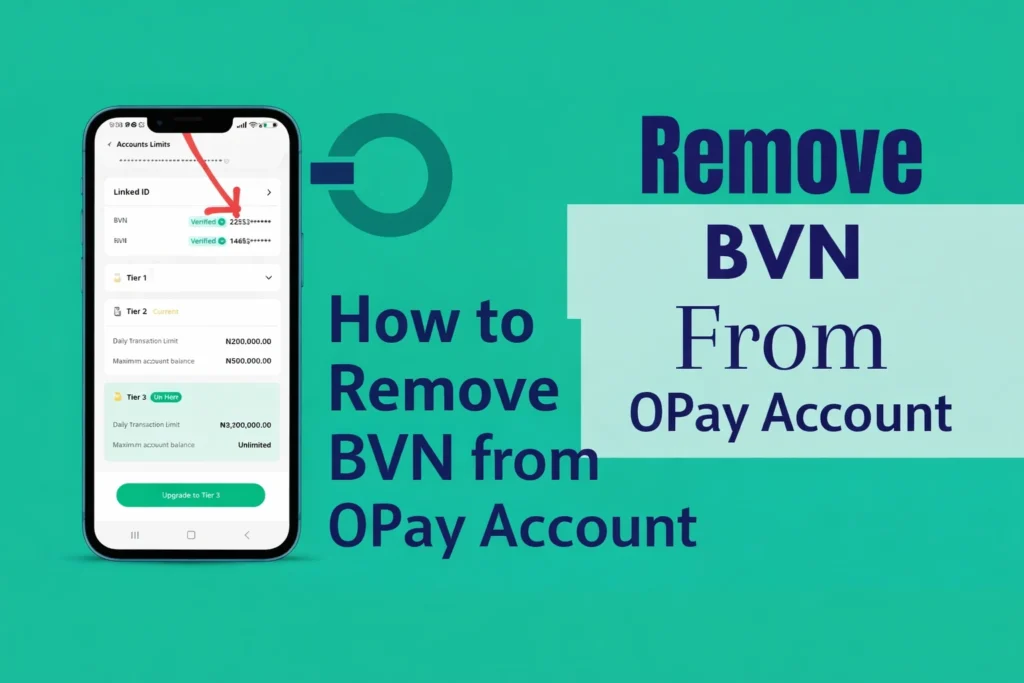

If you are using OPay and you are looking for how to remove your BVN from your account, then you are not alone on this.
We’ve had other people who have been asking us to write about it, and after much research, we came up with this concrete solution that will help you.
So maybe you linked your BVN to your Opay by mistake, or you just want to unlink it because of privacy concerns. But whatever your reasons are, this article will explain everything you need to know in a very simple way so you can understand clearly.
Let’s go straight to the point.
What is BVN and Why is it Linked to OPay?
I believe by now you must have known that BVN stands for Bank Verification Number. It is a unique number that connects all your bank accounts together in Nigeria.
When you open a new OPay account, they usually ask for your BVN in order to:
- Confirm your identity
- Increase your transaction limit
- Protect your account from fraud
- Bridge your banking services across every other banks
- Follow CBN regulations
Once you link your BVN, your account becomes tied to other of your financial details across different banks, making it more secure and fully verified.
See Also: How to Borrow Money from OPay in 2026
Why People May Want to Remove BVN from OPay?
Different people have different reasons for doing such. But some of the most common reasons we have come across include:
1. Privacy Concerns
Most OPay users don’t feel comfortable sharing their BVN with apps, especially when it’s has anything to do with loans. This is because:
- Many think that BVN allows the government or banks to track their personal transactions and control have access to their finances.
- Some claim that access to your BVN may lead to money theft, making it easier for thieves to access and steal their money from their accounts.
- Some believe that linking BVN to accounts can cause account’s security compromise
- Some even say hackers can use your BVN to hack bank accounts, leading to financial loss.
- Some believe BVN enables unauthorized access to their funds.
- Some believe that BVN is used for tax evasion or to penalize individuals financially.
2. Wrong BVN Linked
Few people have showed concerns about entering a wrong BVN and hence, the need to unlink the wrong BVN from their account. It’s common to enter the wrong BVN during registration. But in recent systems, most banks have ensured this doesn’t happen.
3. Multiple Accounts Issue
Some people mistakenly create more than one OPay account, linking the same BVN to the multiple accounts, hence, the need to eliminate some accounts.
4. Account Problems
The may be need to unlink your BVN from your OPay if your account has restrictions or issues that may prompt termination.
Can You Remove BVN from OPay?
Let’s be very honest here. You cannot directly remove your BVN from OPay with just a click once it has been linked because it is generally not permitted and no button to unlink a BVN after linking.
This is because:
- BVN is usually used for identity verification and it’s tied to the account forever
- It is part of the CBN financial regulations in Nigeria
- Removing BVN from an account can cause security issues leading to misleading identity
So, if you are simply looking for how to “remove” BVN from your account inside the OPay app, you won’t find it.
But don’t worry, there are still other solutions you can use to handle this and get it solved legally, depending on your situation.
How to Remove BVN from OPay Account
Since there is no direct button to remove your BVN directly, here are the other options available to resolve issues like this:
Option 1: Contact OPay Customer Support
This is the best and safest method. If you have a serious reason to remove your BVN, then the OPay support can help you out.
Steps to follow:
- Open your OPay app
- Check bottom options and select “Me”
- Scroll down and select “Customer Service Center”
- You’ll see different customer services options, you can tap on “More” to see more
- But for this purpose, just tap on “Live Chat”
- Explain your issue clearly, and attach photos where necessary
Apart from the app, you can also contact them through:
- Email: customerservice@opay-inc.com
- Helplines: 0700 8888328 or 020 18888 328
- Website: https://www.opayweb.com/
- Whatsapp: +234 9165998936
What to Tell Them: Be very clear and straightforward. Information you should give them should include:
- Your full name
- Phone number linked to OPay
- Explain the issue (e.g., wrong BVN linked to account or similar)
The customer service will review your request and guide you through.
Option 2: Close Your OPay Account
If your main aim is to remove your BVN completely, the only sure way is to do that completely is to close your account completely and your bio and ID details will be completely terminated.
Once your account is closed, your BVN is no longer active on that account.
Steps to Close Your Account:
- Withdraw all your money
- Make sure your balance is zero
- From your OPay app, check the bottom options and select “Me”
- Tap on the settings icon at the top right-side
- Scroll down to where you see “Close Account” and tap on it.
At this point, you’ll see the following warnings after Successful Account Cancellation:
- Permanently Unable to Login or Use the Account
- ID, Account and Transaction Information will be cleared
- All Gained Benefits such as Cashback will be cleared
- For more details on Account Cancellation, please refer to ‘OPay Account Cancellation Notice’
If you are okay with all the warnings, go ahead and tap on “Confirm and Continue”
Option 3: Correct Wrong BVN
If you think you linked a wrong BVN to your account, you don’t need to remove it completely. You can simply reach out to OPay to correct and update it for you.
What to Do:
- Contact OPay customer support
- Explain that you want update your BVN details
- Provide the correct BVN details
- Be ready to submit any required documents if demanded for
With this, they may help you fix every inconsistent details.
Option 4: Stop Using the Account
If you don’t want to go through stress of doing all these, then you can simply stop using the account or leave it inactive.
But this may not be the best option, especially if your BVN is linked because the account will remain active.
See Also: How to Delete Transaction History on OPay—2026 Guide
Important Things You Should Know
Before you take any step of the steps we explained above, please kindly keep these facts in mind:
1. BVN is Very Sensitive
Do not share your BVN with random people or platforms that you don’t trust.
2. OPay is Regulated
They follow the Central Bank of Nigeria guidelines, so there is no need to be worried about them having your BVN linked to their platform.
3. No DIY Method
There is no shortcut to remove BVN from your account by yourself.
4. Avoid Scammers
Anyone promising to help you remove BVN is likely a scammer. Removing your BVN from any account is almost impossible.
See Also: How to Stop Loan Apps from Accessing Your Bank Account
Frequently Asked Questions (FAQs)
Can I unlink BVN from OPay?
You cannot directly unlink your BVN from OPay but you can contact OPay support for any BVN-related issue or close your account and your BVN information will be deleted.
Can I use OPay without BVN?
Yes, you can use Opay without linking your BVN, but you will face some limitations. Users without BVN face limited features and lower transaction limits.
Is it safe to link BVN to OPay?
Yes, as long as you are using their official app and your device is not compromised.
How long does it take to resolve BVN issues?
It depends on the specific issue, but resolving BVN issues may take few days after contacting support.
See Also: Top 11 Loan Apps Without BVN in Nigeria for Quick Loans in 2026
Conclusion
Removing BVN from an OPay account cannot be done with one click. This is due to BVN financial policies in Nigeria.
However, you still have control on how you want your BVN to be used. You can:
- Fix errors in your BVN
- Contact support to resolve BVN issues
- Close your account to clear your BVN information if needed
Just make sure you follow the right process and avoid shortcuts. Read more for loan app: How to Remove BVN from a Loan App: 2026 Full Guide